If you haven't read Part 4 - start here!
The original remote
As you might remember from Part 2, the Logitech Library doesn't have the Mode, Reset / Tape Capacity, Record Mute or the Open / Close buttons available.
So i started a search on Ebay and found this Original Pioneer CU-T020 Remote Control Unit.
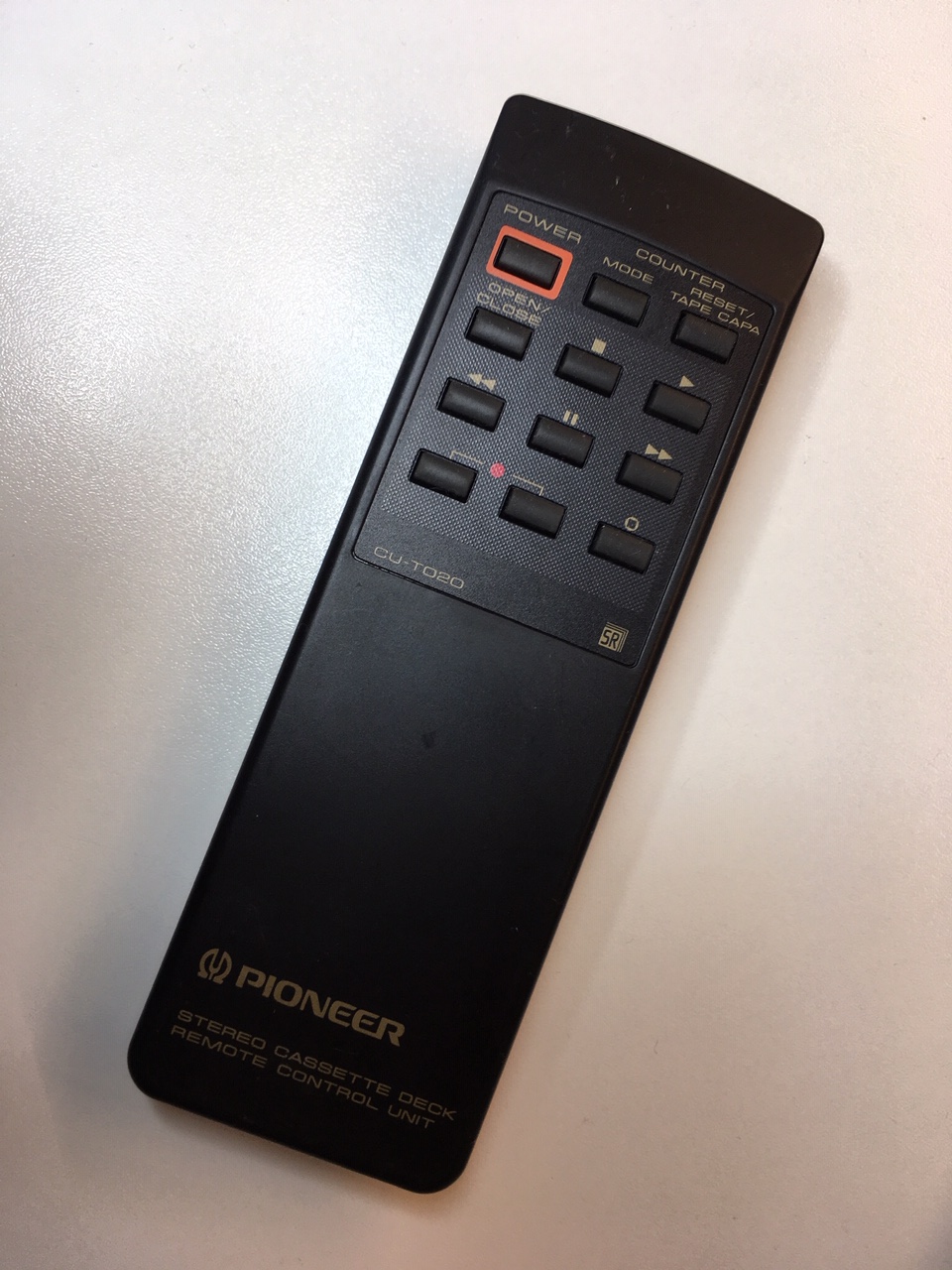 |
| Pioneer CU-T020 |
I don't know from which unit this came, as i wrote earlier - none of the European CT-S Tape deck could be remote controlled directly, you always needed a Receiver or an Amplifier - and those did have remotes, with basic tape buttons.
Maybe - just maybe - you could order an extra remote to your CT-S to get these extra button, otherwise i guess these remotes are from the Japanese models, like the T-1100S.
The remote works perfectly with my little Tapehack. I was eager to program these missing buttons into to the Logitech Harmony 650.

It wasn't an easy task, i can tell you. Countless times to tried to record just a single command like the Reset / Tape Capacity. Every time the Harmony 650 recorded the same button multiple times - even a short push of the button produced the same button 2 or 3 times.
This is not an issue with say the Play button. When the Tape deck goes into play mode additional play commands are simply ignored.
Maybe - just maybe - you could order an extra remote to your CT-S to get these extra button, otherwise i guess these remotes are from the Japanese models, like the T-1100S.
The remote works perfectly with my little Tapehack. I was eager to program these missing buttons into to the Logitech Harmony 650.

It wasn't an easy task, i can tell you. Countless times to tried to record just a single command like the Reset / Tape Capacity. Every time the Harmony 650 recorded the same button multiple times - even a short push of the button produced the same button 2 or 3 times.
This is not an issue with say the Play button. When the Tape deck goes into play mode additional play commands are simply ignored.
 |
| Me pressing the Mode button - again and again. The IR Receiver in Harmony 650 is in the back. |
The Mode and Reset / Tape Capacity are both switching buttons, they cycle through 3 modes (Tape counter, Tape time and Remaining Time) and when in Remaining Time mode, it has 4 Tape Capacities to choose from (C46L, C60, C80L, C90) - So pushing one button on the Harmony 650 could cycle though all modes, which is very annoying.
However the MyHarmony Software lets you configure how many times the Harmony 650 will repeat the Remote commands. I selected to lowest - Zero. This setting didn't change anything at first.
Then i found out, instead of re-recording the Command, if i deleted the button first and the added it again with the exact same name, it was more likely to be recorded correctly.
After some back and forth - its working fine, just like the original.
Now i have a fully functional copy of the Original Remote, but it made me curious - could there be more commands available for the remote? Like Dolby On / Off or Dolby B, C and S?
There is a nice IR Library for the Arduino board. I will try to make a test board that cycles through all of Pioneer Tape deck commands - there might be more functions available. (😱 - OMG. i just realized that there might be 1000's of IR Codes to cycle through)
It is not something i know for sure, but some years ago i found a remote IR command for Sony DAT recorders which turned the service mode on, the whole VFD display turned on, and another push showed how many hours the DAT head had been running.
Cheers 🍺
Per


